Octoblu allows you to use JSON Schema to customize the messages, configuration properties, and the appearance of those properties. For the presentation layer, we use Angular Schema Form.
Basic Rules:
- All schemas MUST be nested underneath the
meshblu.schemasproperty of your device. - The version MUST exactly equal
2.0.0
Example
For example, if Device A has a property of enabled, the schema can indicate what type of property that is.
{
  "schemas": {
    "version": "2.0.0",
    "configure": {
      "default": {
        "type": "object",
        "properties": {
          "enabled": {
            "type": "boolean"
          }
        }
      }
    }
  }
}
If you view Device A in the Octoblu Things page, it will look similar to this:
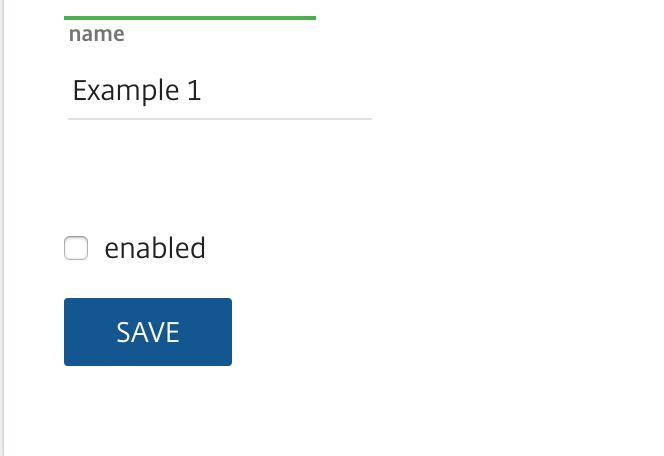
Good start, but what if you want to show something other than a checkbox? Enter form schema.
{
  "schemas": {
    "version": "2.0.0",
    "configure": {
      "default": {
        "type": "object",
        "properties": {
          "enabled": {
            "type": "boolean",
            "default": false
          }
        },
        "x-form-schema": {
          "angular": "configure.default.angular"
        }
      }
    },
    "form": {
      "configure": {
        "default": {
          "angular": [
            {
              "key": "enabled",
              "type": "radiobuttons",
              "titleMap": [
                { "value": true, "name": "Enabled" },
                { "value": false, "name": "Disabled" }
              ],
              "notitle": true
            }
          ]
        }
      }
    }
  }
}
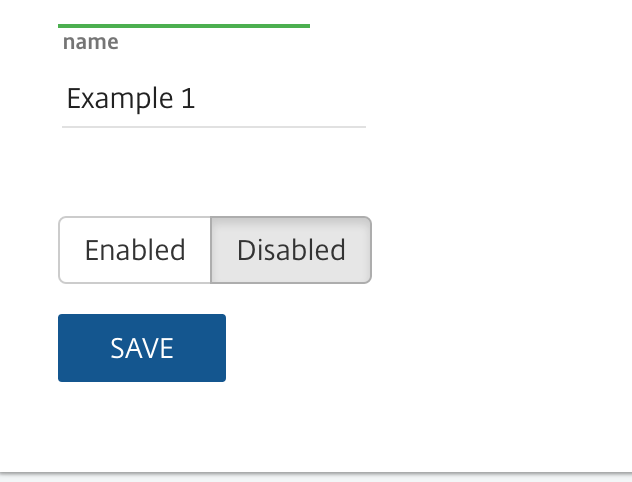
Now the form would look like this: